Introduction
A WordPress website is never truly finished. New plugin updates are released every week, security vulnerabilities are discovered regularly, hosting environments change, and customer expectations continue to rise.
Whether you run a personal blog, an online store, a business website, or a membership platform, ongoing maintenance is essential for security, performance, and long-term reliability.
A well-designed WordPress maintenance plan helps prevent downtime, reduces security risks, keeps software updated, and ensures visitors have a smooth experience.
This guide explains what a maintenance plan includes, why it matters, how monthly website maintenance packages work, and how to choose the right solution for your needs.
Quick Answer
What is a WordPress maintenance plan?
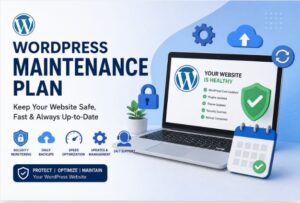
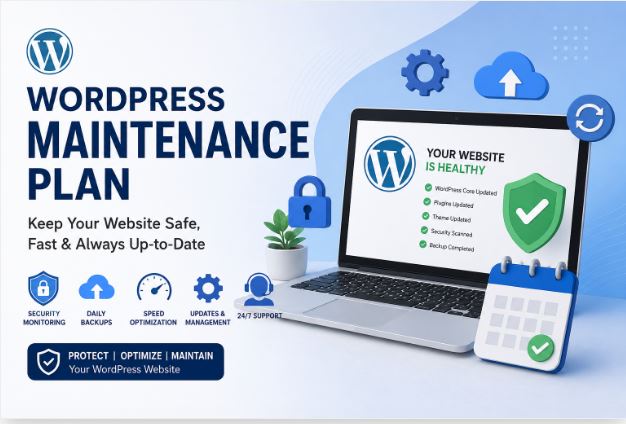
A WordPress maintenance plan is an ongoing service or routine that keeps a WordPress website secure, updated, backed up, optimized, and functioning properly. It typically includes software updates, malware monitoring, backups, uptime checks, performance optimization, security hardening, and technical support.
Why Does WordPress Require Regular Maintenance?
WordPress is constantly evolving.
Core updates, plugin releases, theme improvements, PHP upgrades, and security patches all require attention. Ignoring maintenance can lead to:
- Broken functionality
- Slow loading times
- Security breaches
- Website downtime
- Data loss
- Compatibility issues
- Poor search engine rankings
Even a website that rarely changes still requires monitoring and updates.
What Does a WordPress Maintenance Plan Include?
A professional WordPress website maintenance plan generally combines technical maintenance with proactive monitoring.
Core Updates
Regular updates for:
- WordPress Core
- Themes
- Plugins
- PHP compatibility
Updates should be tested carefully to reduce compatibility problems.
Why it matters
- Better security
- New features
- Bug fixes
- Improved compatibility
Website Backups
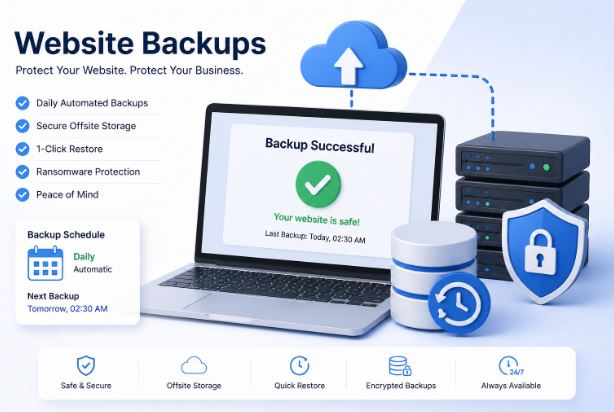
Reliable backups are one of the most valuable parts of any maintenance plan.
Best practices include:
- Daily backups
- Real-time backups for eCommerce stores
- Off-site storage
- Easy restoration
- Multiple backup copies
Without backups, recovering from a server failure or malware attack can become extremely difficult.
Security Monitoring
A maintenance service should actively monitor security instead of reacting after an attack.
Typical features include the following:
- Malware scanning
- Firewall configuration
- Login protection
- Brute-force prevention
- Security hardening
- Vulnerability monitoring
- File integrity checks
Performance Optimization
Website speed directly affects user experience and SEO.
Performance maintenance often includes:
- Cache optimization
- Database cleanup
- Image optimization
- CSS and JavaScript optimization
- CDN monitoring
- Page speed improvements
A fast website often improves conversions and reduces bounce rates.
Uptime Monitoring
Downtime can cost businesses sales and credibility.
Most professional maintenance services monitor websites 24/7 and alert administrators immediately if problems occur.
Monitoring often includes:
- Availability checks
- Server response monitoring
- SSL verification
- DNS monitoring
Database Optimization
Over time, WordPress databases collect unnecessary data.
Routine optimization removes the following:
- Old revisions
- Spam comments
- Temporary data
- Expired transients
- Unused tables
This helps maintain performance and reduce database size.
Broken Link Monitoring
Broken links hurt user experience and SEO.
Maintenance plans often include the following:
- Internal link checking
- External link validation
- Redirect monitoring
- 404 error detection
Technical Support
Many WordPress maintenance services include ongoing support for:
- Minor website edits
- Plugin troubleshooting
- Error resolution
- Theme fixes
- Layout corrections
- Contact form issues
Support availability varies depending on the provider.
Monthly Website Maintenance Packages Explained
What are monthly website maintenance packages?
Monthly website maintenance packages provide ongoing website management through a recurring subscription instead of one-time technical fixes.
Typical monthly services include the following:
- Core updates
- Plugin updates
- Theme updates
- Daily backups
- Security monitoring
- Malware scanning
- Performance optimization
- Uptime monitoring
- Technical support
- Monthly reports
Some agencies also include content updates and SEO assistance.
WPAssetsHub Monthly Maintenance Packages
To keep things simple, WPAssetsHub maintenance is split into three packages based on how much your website has at stake.
Starter best for blogs, portfolios, and brochure sites that don’t change often. Core updates, weekly backups, basic security monitoring, and email support.
Growth best for active business websites with regular content and steady traffic. Everything in Starter, plus daily backups, malware scanning, performance optimization, and a monthly report.
Elite best for WooCommerce stores and high-traffic websites. Everything in Growth, plus staging-site testing before updates go live, same-day support, and a dedicated account contact.
WordPress Maintenance Pricing
| Package | Best For | Price | Sites Covered |
|---|---|---|---|
| Starter | Blogs & portfolio sites | $100/month | 1 site |
| Growth | Active business sites | $150/month | 1 site |
| Elite | WooCommerce & high-traffic sites | $250/month | 1 site |
Features Comparison
| Feature | Starter | Growth | Elite |
|---|---|---|---|
| Core, theme & plugin updates | Yes | Yes | Yes |
| Backups | Weekly | Daily | Daily |
| Uptime monitoring | Yes | Yes | Yes |
| Security scanning | Weekly | Daily | Daily |
| Malware removal | — | Yes | Yes |
| Performance optimization | — | Yes | Yes |
| Database cleanup | — | Yes | Yes |
| Staging-site testing before updates | — | — | Yes |
| Monthly report | — | Yes | Yes |
| Support response time | 48 hours | 24 hours | Same-day |
| Dedicated account contact | — | — | Yes |
WordPress Maintenance Plan vs One-Time Website Fix
| Feature | Maintenance Plan | One-Time Fix |
|---|---|---|
| Regular updates | Yes | No |
| Security monitoring | Yes | Usually No |
| Daily backups | Yes | No |
| Ongoing support | Yes | Limited |
| Performance optimization | Yes | Usually once |
| Uptime monitoring | Yes | No |
| Long-term protection | Yes | No |
For businesses that depend on their website, continuous maintenance usually provides significantly better value.
Who Needs a WordPress Maintenance Plan?
Almost every WordPress website benefits from ongoing maintenance.
Examples include:
Business Websites
- Company websites
- Local businesses
- Service providers
eCommerce Stores
Especially WooCommerce stores that process:
- Customer accounts
- Payments
- Orders
- Inventory
Real-time monitoring becomes much more important.
Membership Websites
Maintenance helps protect:
- User accounts
- Member data
- Subscription systems
Blogs
Regular updates improve:
- Security
- Performance
- Search visibility
WordPress Maintenance and Support: What’s the Difference?
Many people confuse maintenance with support.
| Maintenance | Support |
|---|---|
| Updates | Technical help |
| Security monitoring | Troubleshooting |
| Backups | Fixing issues |
| Performance optimization | Error resolution |
| Uptime checks | Custom assistance |
| Malware scanning | User requests |
Many providers combine WordPress maintenance and support into one package.
How to Choose the Best WordPress Maintenance Plan
When comparing providers, look beyond price.
Important evaluation factors include:
Security
- Firewall
- Malware scanning
- Security monitoring
Backup Strategy
- Daily backups
- Off-site storage
- Easy restoration
Response Time
Ask:
- How quickly are emergencies handled?
- Is weekend support available?
Reporting
Monthly reports should include:
- Updates performed
- Security events
- Backup status
- Uptime
- Performance improvements
Experience
Choose providers with proven WordPress expertise rather than general hosting support.
Typical Pricing Factors
Maintenance pricing depends on:
- Website size
- Number of plugins
- WooCommerce usage
- Traffic volume
- Support hours
- Security requirements
- Backup frequency
- Custom development needs
Enterprise websites usually require more comprehensive monitoring than personal blogs.
Common Mistakes to Avoid
Many website owners make preventable mistakes.
Avoid:
- Ignoring plugin updates
- Using outdated themes
- Never testing backups
- Installing unnecessary plugins
- Skipping security monitoring
- Using weak passwords
- Ignoring malware warnings
- Never checking uptime
- Delaying PHP updates
- Running without SSL
Even small websites can become targets for automated attacks.
Why Choose WPAssetsHub
There’s no shortage of companies offering WordPress maintenance as a checkbox service — a few automated scans and a generic email at month’s end. That’s monitoring, not maintenance.
With WPAssetsHub, a real person reviews your site every month, not just a script. You get a report you can actually read, not a wall of jargon. Updates are tested before they touch your live site, not after something breaks. And if something does go wrong, you’re talking to someone who already knows your setup, not explaining your site history to a new ticket every time.
No long-term lock-in contracts. Plans are billed monthly, and you can switch tiers or cancel anytime as your website’s needs change.
Expert Tips
Test Updates Before Production
Large websites should use staging environments before applying updates.
Keep Plugins Minimal
Every plugin increases maintenance complexity and potential security risk.
Monitor Website Speed Monthly
Track performance trends instead of waiting for users to complain.
Verify Backup Restores
A backup is only useful if it can actually be restored successfully.
Review Security Logs
Repeated failed login attempts may indicate ongoing attacks.
Schedule Preventive Maintenance
Preventing problems is usually less expensive than recovering from major failures.
WordPress Maintenance Checklist
A practical checklist includes the following:
Daily
- Backup verification
- Uptime monitoring
- Security monitoring
Weekly
- Plugin updates
- Theme updates
- Core updates
- Malware scan
Monthly
- Database optimization
- Speed testing
- Broken link scan
- Security review
- Backup restore test
- Report generation
Frequently Asked Questions
1. What is a WordPress maintenance plan?
It is an ongoing service that keeps a WordPress website secure, updated, optimized, and functioning properly.
2. Why are WordPress maintenance plans necessary?
They reduce security risks, improve performance, prevent downtime, and keep software compatible.
3. What do WordPress maintenance plans usually include?
Most include updates, backups, malware scanning, uptime monitoring, security checks, and technical support.
4. Are monthly website maintenance packages worth it?
For business websites and online stores, ongoing maintenance often prevents expensive technical issues and downtime.
5. How often should WordPress be updated?
Security updates should be applied promptly, while plugin and theme updates should be tested and installed regularly.
6. Can I maintain WordPress myself?
Yes. Smaller websites can often be maintained by owners with technical knowledge, but larger or business-critical sites usually benefit from professional management.
7. Does maintenance improve SEO?
Indirectly, yes. Better speed, uptime, security, and user experience all contribute to stronger search performance.
8. What happens if I skip maintenance?
You increase the risk of hacking, compatibility issues, poor performance, downtime, and potential data loss.
9. Do WooCommerce stores need more maintenance?
Yes. Online stores process transactions and customer data, making continuous monitoring and backups more important.
10. What’s the difference between maintenance and hosting?
Hosting provides server infrastructure, while maintenance keeps the WordPress installation secure, updated, and optimized.
11. Which WPAssetsHub package should I choose?
If your site is mostly static and low-traffic, Starter usually covers it. Active business sites do better on Growth. Any WooCommerce store should be on Elite, since staging-site testing alone can prevent an update from breaking checkout.
12. Can I upgrade or downgrade my plan later?
Yes. Plans can be changed at any time as your website’s traffic and needs grow or shrink.
13. Is there a long-term contract?
No. Plans are billed monthly with no lock-in, so you can cancel anytime.
Key Takeaways
- A WordPress maintenance plan keeps websites secure, updated, and reliable.
- Regular backups and security monitoring reduce business risk.
- Monthly website maintenance packages often combine updates, monitoring, and technical support.
- Performance optimization improves both user experience and SEO.
- Professional WordPress maintenance services help prevent downtime rather than simply fixing problems later.
- WordPress maintenance and support together provide long-term website stability.
- Preventive maintenance is generally more cost-effective than emergency recovery.
- Every website should follow a structured maintenance schedule.
Conclusion
A WordPress website is a living system that requires ongoing attention rather than one-time setup. Regular updates, verified backups, security monitoring, and performance optimization help keep the site stable and reduce the likelihood of unexpected problems.
Whether you manage a personal blog or a high-traffic WooCommerce store, investing time in a structured WordPress maintenance plan or choosing reliable WordPress maintenance services can protect your data, improve visitor experience, and support long-term growth. The best approach is proactive, consistent, and tailored to the complexity of your website.