WordPress security plugins are, without question, the single most practical investment you can make in your website, and I say that after spending close to fifteen years managing, migrating, and cleaning up WordPress installations for everyone from solo bloggers to mid-sized e-commerce brands. In that time, I’ve lost count of how many “urgent, my-site-is-hacked” calls I’ve taken, and almost every single one traced back to the same root cause: no real security layer was ever installed. Not a weak one. None at all.
WordPress runs a huge share of the web, and that popularity cuts both ways. It means excellent community support and endless plugins, but it also means automated bots are constantly scanning IP ranges, looking for exactly the kind of soft target an unprotected WordPress install represents. I’ve watched a three-year-old food blog get compromised within 48 hours of going live, simply because nobody thought a small site was “worth” attacking. It usually isn’t about being targeted specifically; it’s about being caught in a net cast across millions of sites at once. That’s the reality WordPress security plugins exist to deal with.
Why You Need WordPress Security Plugins
Out of the box, WordPress core is actually reasonably well engineered from a security standpoint; the core team takes vulnerabilities seriously and patches quickly. The real risk almost never comes from WordPress itself. It comes from the plugin and theme ecosystem sitting on top of it, from weak login credentials, and from server configurations that were never hardened after the initial install. This is exactly the gap that dedicated WordPress security plugins are built to close.
I remember auditing a client’s site a few years back, a mid-sized online store doing decent monthly revenue and finding eleven active plugins, three of which hadn’t been updated in over eighteen months. One of those had a publicly disclosed vulnerability. Nobody had noticed because there was no monitoring in place. That’s the pattern I see over and over: it’s rarely one catastrophic mistake. It’s an accumulation of small, unmonitored gaps that eventually add up to a breach.
A properly configured security plugin closes most of those gaps automatically: it filters malicious traffic through a firewall before it ever reaches your PHP files, scans your file system for injected code or unauthorized changes, throttles repeated login attempts, and critically alerts you the moment something looks wrong instead of leaving you to discover it weeks later when Google flags your site as unsafe.
What Makes a Good WordPress Security Plugin
Not every plugin on the repository labeled “security” earns that label in practice. Some are little more than a login-attempt limiter dressed up with a dashboard. Before you commit to one, it’s worth understanding what genuinely matters versus what’s just there to pad a feature list.
- Web Application Firewall (WAF): This is the first and most important line of defense. A good WAF inspects incoming requests and blocks known attack patterns, SQL injection attempts, cross-site scripting payloads, and malicious file uploads before they ever touch your application code.
- Malware scanning with signature and heuristic detection: Signature-based scanning catches known malware; heuristic scanning catches new, unclassified threats by looking at behavior rather than known code patterns. The better plugins do both.
- Brute-force and login protection: rate-limiting login attempts, blocking suspicious IP ranges, and ideally supporting two-factor authentication.
- File integrity monitoring: comparing your core files, theme files, and plugin files against known-good checksums so you’re alerted the moment something is modified without your knowledge.
- Activity and audit logging: especially important on multi-author sites, where knowing who changed what and when can be the difference between a quick fix and a forensic nightmare.
A plugin doesn’t need to nail every one of these to be worth using, but in my experience, anything missing a real firewall and a genuine malware scanner isn’t doing the core job; it’s just handling the easy 20% of the problem.
Top WordPress Security Plugins Worth Using
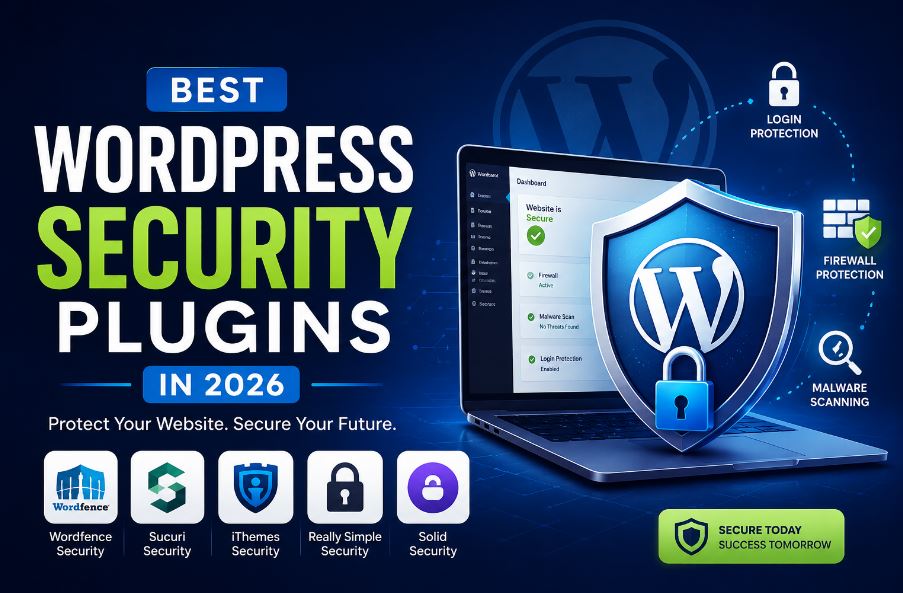
1. Wordfence Security
Among all the WordPress security plugins I’ve worked with, Wordfence has earned its reputation the hard way through years of consistent updates and a threat-intelligence feed that’s genuinely useful, not just marketing language. It bundles a firewall, malware scanner, and live traffic view into one dashboard. I’ve deployed it on dozens of client sites over the years, and the free tier alone is often enough for a small-to-medium site. Where the premium version earns its cost is the real-time rule updates on a free plan, firewall rules lag by about 30 days, which matters a lot if a new vulnerability is actively being exploited.
2. Sucuri Security
Sucuri takes a different architectural approach compared to most other WordPress security plugins its firewall operates at the DNS level, filtering traffic before it ever reaches your hosting server. This matters more than people realize: a plugin-based firewall still has to let the request hit your server and PHP process before it can act, whereas Sucuri’s cloud proxy blocks bad traffic upstream entirely. I tend to recommend it for agencies managing multiple client sites, largely because of how clean its audit trail is when something does go wrong.
3. iThemes Security (Solid Security)
Compared to more aggressive WordPress security plugins, iThemes leans into hardening rather than active monitoring, disabling XML-RPC (a common vector for brute-force and DDoS amplification attacks), enforcing strong password policies, hiding the default /wp-admin login path, and enabling two-factor authentication. If your site’s biggest exposure is basic misconfiguration rather than sophisticated attacks, this is a lightweight, no nonsense option that won’t slow your site down.
4. All In One WP Security & Firewall
This free plugin remains one of the better entry points into WordPress security plugins for site owners without a technical background. Its security-grading system is genuinely useful; it doesn’t just list features, it shows you, in plain terms, what’s currently weak and what fixing it would involve. I’ve used this as a starting point with several first-time WordPress owners who weren’t ready for the complexity of Wordfence’s dashboard.
5. MalCare
Of all the WordPress security plugins covered here, MalCare’s biggest advantage is architectural: scans run on MalCare’s own cloud servers rather than your hosting environment, which avoids the CPU spikes that heavier scanners can cause on shared hosting. Its one-click malware removal has genuinely saved me hours on cleanup jobs that would otherwise involve manually diffing infected files against clean core copies.
How to Choose the Right Plugin for Your Site
There’s no universal “best” answer here. I say this to every client who asks, and it’s not a dodge; it’s the honest answer. A personal blog with no user accounts and no payment processing carries a fundamentally different risk profile than a WooCommerce store handling customer data daily. Before choosing among the various WordPress security plugins, walk through these questions honestly:
- Does the site process payments or store personal customer data?
- How many people have admin-level dashboard access, and how well do you actually trust their password hygiene?
- Does your hosting provider already offer server-level firewall or malware protection? (Many managed WordPress hosts do check before paying for overlapping coverage.)
- Is the traffic and revenue this site generates enough to justify a premium security plan, or would a well-configured free plugin cover your actual risk?
If you’re running an online store, pairing a security plugin with proper WordPress hosting optimization and disciplined backup scheduling isn’t optional it’s the baseline. I’d also point you toward our guide on setting up automatic WordPress backups, because no firewall, however good, protects you from a bad update, a server failure, or plain human error. Security and backups aren’t substitutes for each other; they cover different failure modes entirely.
Common Mistakes I See Repeatedly
Even when the right WordPress security plugins are installed, site owners regularly undermine their own protection in ways that are completely avoidable:
- Running two or more security plugins simultaneously. This is more common than you’d think, usually born from anxiety rather than strategy. In practice, it causes firewall rule conflicts, duplicate resource usage, and sometimes outright plugin crashes. One well-configured plugin beats three half-configured ones every time.
- Treating updates as optional. A firewall reduces exposure; it doesn’t eliminate the risk of running software with a known, published vulnerability. I’ve seen firewalls get bypassed entirely because the underlying flaw was in a plugin nobody had bothered to update in over a year.
- Reusing weak admin passwords across sites. No plugin compensates for
admin / password123. Pair whatever security plugin you choose with a proper password manager. - Installing a scanner and never checking its reports. This is the one that genuinely surprises me I’ll audit a site and find weeks of unread malware alerts sitting in an inbox. A scan report nobody reads might as well not exist.
Best Practices Beyond the Plugin Itself
Plugins matter, but I want to be direct about something: no plugin is a complete security strategy on its own. According to WordPress.org’s own hardening documentation, combining plugin-level protection with server hardening, consistent updates, and tightly controlled access privileges produces meaningfully better outcomes than relying on any single tool. That lines up with what I’ve observed directly Sucuri’s own threat research has repeatedly found that outdated software, not the absence of a security plugin, remains the leading cause of WordPress compromises.
A few habits I recommend building into any WordPress maintenance routine, regardless of which WordPress security plugins you settle on:
- Keep WordPress core, all themes, and all plugins updated ideally on a weekly review cycle, not “whenever I remember.”
- Enforce SSL (HTTPS) across the entire site, not just checkout or login pages
- Limit administrator-level access to the smallest group of people genuinely necessary
- Schedule off-site, automated backups so recovery doesn’t depend on a scan catching everything in time
- Choose hosting that includes server-side malware scanning as a second, independent layer of defense
Frequently Asked Questions
Do I really need a WordPress security plugin?
Yes, in almost every case. Even a well-maintained site is scanned constantly by automated bots probing for outdated software, weak credentials, and known vulnerabilities. A dedicated plugin adds a firewall, malware detection, and login protection that WordPress doesn’t provide by default.
What’s the best free WordPress security plugin?
Among free WordPress security plugins, Wordfence and All In One WP Security & Firewall are the two I recommend most often. Wordfence gives you a real firewall and malware scanner; All In One WP Security is friendlier for non-technical users thanks to its grading system.
Can I run two security plugins at once for extra protection?
I’d strongly advise against it. In practice this creates conflicting firewall rules, redundant resource usage, and occasionally outright errors. A single, properly configured plugin is more effective than two competing ones.
Will a security plugin slow down my site?
It can, particularly server-side scanners running on shared hosting. Cloud-based options like Sucuri or MalCare offload scanning to their own infrastructure, which keeps the impact on your site’s speed minimal.
How often should I be scanning my WordPress site for malware?
Set automated scans to run at least weekly, and always trigger a manual scan immediately after installing any new theme or plugin especially from a source outside the official WordPress repository.
Conclusion
After fifteen years of working with WordPress security plugins across every type of site imaginable, my honest take is this: the plugin you choose matters less than how well you configure and maintain it. Wordfence and Sucuri are the two I reach for most often across different client situations Wordfence when I want an all-in-one dashboard with strong community-driven threat intelligence and Sucuri when I want the firewall sitting upstream of the server entirely. iThemes Security earns its place when the priority is hardening a lightweight site without adding overhead.
But the plugin is only ever one layer. The sites that actually stay secure over the years are the ones where updates happen on schedule, backups run automatically and get tested occasionally, admin access is kept tight, and scan reports actually get read instead of ignored. None of that requires deep technical expertise; it requires consistency, which is honestly the harder thing to maintain.
If you’re reading this because your site has already had a scare or because you’ve simply never gotten around to setting this up properly, start today. Pick one of the WordPress security plugins covered in this guide, configure its firewall and scanning settings deliberately rather than accepting every default, and put a recurring reminder on your calendar to actually check its reports. That single habit will do more for your site’s long-term security than any individual feature ever will.