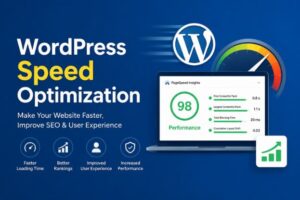
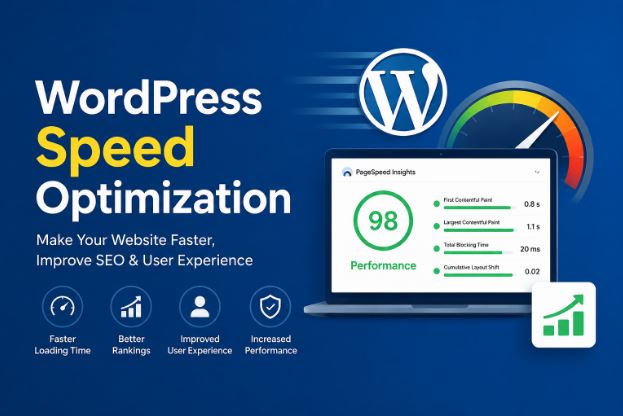
You’ve probably felt it yourself: you click on a website, wait a few seconds for it to load, and if nothing happens, you just leave. Multiply that experience by thousands of visitors, and you start to understand why WordPress speed optimization isn’t just a technical nice to have. It’s the difference between a site that converts visitors into customers and one that quietly bleeds traffic every single day.
A slow WordPress site doesn’t just frustrate visitors it actively hurts your search rankings, your conversion rates, and your bottom line. Google has made page speed a core ranking factor for years now, and studies consistently show that even a one-second delay in load time can drop conversions by 7% or more.
In this guide, you’ll learn exactly what causes WordPress sites to slow down, the most effective optimization techniques you can apply yourself, which WordPress speed optimization plugins actually deliver results, and when it makes sense to bring in a professional WordPress speed optimization service instead of tackling it solo. By the end, speed optimization in WordPress will feel a lot less intimidating and a lot more like a checklist you can work through with confidence.
Why WordPress Speed Optimization Matters More Than You Think
Before diving into fixes, it helps to understand what’s at stake. Site speed affects three major areas of your business:
Search engine rankings. Google’s Core Web Vitals metrics like Largest Contentful Paint (LCP), Cumulative Layout Shift (CLS), and Interaction to Next Paint (INP) are direct ranking signals. A faster site has a real shot at outranking slower competitors, all else being equal.
User experience and retention. Visitors form an opinion about your site within the first few seconds. If pages crawl along, people bounce before they even see what you offer.
Revenue and conversions. E-commerce data has shown repeatedly that faster checkout flows and product pages translate directly into more completed sales. For service-based businesses, faster contact and booking pages mean more leads captured.
If your WordPress site takes more than three seconds to load, you’re likely losing a meaningful chunk of visitors before they even engage with your content.
Common Causes of a Slow WordPress Website
Understanding the root causes makes speed optimization in WordPress far easier to approach. Here are the usual culprits behind sluggish WordPress sites:
Bloated or Low-Quality Hosting
Shared hosting plans pack hundreds of websites onto a single server. When your “neighbors” get a traffic spike, your site slows down too even if you’ve done everything else right.
Unoptimized Images
Large, uncompressed images are one of the single biggest contributors to slow load times. A single unoptimized hero image can add several seconds to your page load.
Too Many Plugins
Every plugin adds extra code that needs to load and execute. A site running 40+ plugins, many of which overlap in function, is almost guaranteed to feel sluggish.
Render-Blocking Scripts and Stylesheets
When browsers have to fully load CSS and JavaScript files before displaying content, visitors stare at a blank screen longer than necessary.
No Caching Configured
Without caching, WordPress rebuilds each page from scratch, querying the database and assembling HTML—every single time someone visits. That’s a lot of unnecessary work repeated over and over.
Outdated PHP Version
Many older WordPress installations still run on outdated PHP versions, which are significantly slower (and less secure) than current releases.
Proven WordPress Speed Optimization Techniques
Choose Quality Hosting
This is the foundation everything else builds on. Managed WordPress hosting providers optimize their servers specifically for WordPress’s architecture, often including built-in caching, CDN integration, and PHP tuning out of the box. If your budget allows, this single change often delivers the biggest speed improvement of anything on this list.
Implement Caching
Caching stores a static version of your pages so WordPress doesn’t have to rebuild them from scratch for every visitor. Page caching alone can cut load times dramatically, especially on content-heavy sites.
Compress and Resize Images
Before uploading any image, resize it to the actual dimensions it will display at, and compress it to reduce file size without noticeably affecting quality. Modern image formats like WebP also offer significant size savings compared to traditional JPEG or PNG files.
Use a Content Delivery Network (CDN)
A CDN stores copies of your site’s static files on servers around the world, so visitors load content from a server physically closer to them. This is especially valuable if your audience is geographically spread out.
Minify CSS, JavaScript, and HTML
Minification strips out unnecessary characters, whitespace, and comments from your code files, reducing their size without changing functionality. It’s a small change that adds up across dozens of files.
Lazy Load Images and Videos
Lazy loading delays loading images and embedded videos until the visitor actually scrolls to them, rather than loading every asset on the page upfront.
Clean Up Your Database
Over time, WordPress databases accumulate clutter: post revisions, spam comments, and expired transients. Regularly cleaning this up keeps database queries fast and efficient.
Limit and Audit Plugins
Go through your plugin list and remove anything you’re not actively using. For overlapping functionality, consolidate where possible. Fewer, well-coded plugins almost always outperform a large stack of mediocre ones.
Best WordPress Speed Optimization Plugins
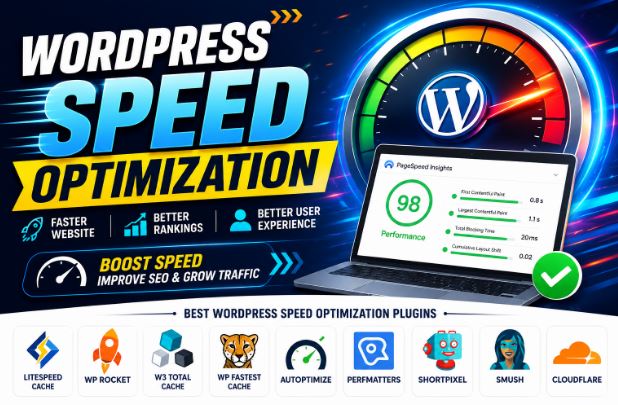
If you’re tackling speed optimization in WordPress yourself, the right WordPress speed optimization plugins make a significant difference. Here are categories worth exploring, along with what to look for in each:
Caching Plugins
A solid caching plugin handles page caching, browser caching, and often basic minification in one package. Look for options that offer easy setup alongside advanced configuration for when you’re ready to fine-tune things.
Image Optimization Plugins
These tools automatically compress images on upload and can bulk-optimize your existing media library, often with the option to convert to next-gen formats like WebP.
Database Cleanup Plugins
These help you schedule automatic cleanup of post revisions, trashed items, and orphaned data, keeping your database lean over time.
All-in-One Performance Plugins
Some plugins combine caching, minification, image optimization, and database cleanup into a single dashboard, which is convenient if you’d rather manage fewer tools, though they sometimes offer less granular control than specialized alternatives.
A word of caution: running multiple WordPress speed optimization plugins for caching at the same time often causes conflicts rather than compounding benefits. Pick one solid solution per category and configure it properly, rather than stacking several “just in case.
DIY vs. Hiring a WordPress Speed Optimization Service
There’s no universally right answer here; it depends on your time, technical comfort, and how much is riding on your site’s performance.
DIY optimization makes sense when:
- You’re comfortable navigating your WordPress dashboard and basic settings
- Your site is relatively simple, without heavy e-commerce or custom functionality
- You have time to test changes and troubleshoot if something breaks
A professional WordPress speed optimization service makes sense when:
- Your site generates meaningful revenue, and downtime or mistakes carry real cost
- You’ve already tried plugins and basic fixes without seeing meaningful improvement
- Your site has complex custom code, large product catalogs, or heavy traffic
- You simply don’t have the time to dedicate to ongoing performance maintenance
Professional WordPress speed optimization services typically go beyond what plugins alone can achieve. They dig into server-level configuration, database query optimization, custom code auditing, and advanced caching rules tailored to your specific site rather than generic settings. For businesses where every second of load time has measurable financial impact, that level of customization often justifies the investment.
How to Measure Your WordPress Site’s Speed
You can’t improve what you don’t measure. A few free tools worth bookmarking:
- Google PageSpeed Insights — gives you Core Web Vitals data plus specific improvement suggestions
- GTmetrix — offers detailed waterfall charts showing exactly what’s loading slowly
- Pingdom Tools — simple, visual speed test results from multiple global locations
Run tests before making changes, then re-test after each significant change. This helps you understand which fixes are actually moving the needle versus which ones make little practical difference for your specific site.
Frequently Asked Questions
Q: What is a good page load time for a WordPress website?
A: Aim for under 2.5 seconds for your Largest Contentful Paint and ideally under 3 seconds for full page load. Anything beyond 3 seconds starts to noticeably increase bounce rates.
Q: Can I speed up WordPress without coding knowledge?
A: Yes. Many of the most impactful changes, installing a caching plugin, compressing images, choosing quality hosting, and removing unused plugins, require no coding at all. Coding becomes more relevant for advanced, site-specific optimizations.
Q: How much does a WordPress speed optimization service typically cost?
A: Pricing varies widely based on site complexity, ranging from one-time audits to ongoing monthly retainers. Simple sites often cost less than complex e-commerce platforms with heavy traffic and custom functionality.
Q: Will too many plugins always slow down my site?
A: Not necessarily a well-coded plugin that’s actively maintained may have minimal impact. The bigger issue is poorly coded, outdated, or redundant plugins, especially when several plugins handle overlapping functions.
Q: How often should I optimize my WordPress site’s speed?
A: Treat it as ongoing maintenance rather than a one-time task. Re-check performance after major updates, new plugin installs, or content additions, and do a fuller review every few months.
Conclusion: Make Speed a Priority, Not an Afterthought
A fast WordPress website isn’t a luxury it’s a baseline expectation for visitors and a genuine competitive advantage in search rankings. By addressing hosting quality, implementing proper caching, optimizing images, and keeping your plugin stack lean, you can dramatically improve your site’s performance through hands-on WordPress speed optimization, often without spending a dollar on outside help.
That said, if you’ve tried the DIY route and you’re still seeing sluggish load times or if your site’s performance is directly tied to revenue, it’s worth exploring a professional WordPress speed optimization service that can dig deeper into your specific setup.
Ready to see how fast your site really is? Run a free speed test today, identify your biggest bottlenecks, and start working through the fixes in this guide one at a time. A faster website is closer than you think.